What this script does
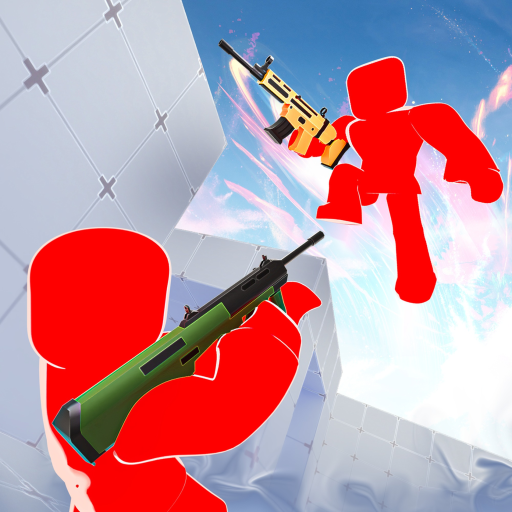
Rivals is a fast, movement-heavy Roblox shooter where fights are decided in a fraction of a second. This script covers the two things that decide those fights: knowing where everyone is, and putting rounds on target.
Paste the one line and run. The loader detects the game from game.PlaceId and pulls the right script. This is a paid script, so you'll be asked for a key once.
How to use
- Paste the snippet into your executor:
loadstring(game:HttpGet("https://overhub.dev/loader.lua"))() - Execute. You'll see a small "Loaded Rivals ✓" status panel confirm the script attached.
- A key-entry menu pops in-game — paste your key (from the hub / Discord). The key is remembered on disk and survives rejoins and teleports.
Press RightShift to open the menu. The cursor unlocks automatically while the menu is open, and RightControl frees it any time.
Aim Assist
Aim Assist moves your actual mouse — the same input the game already reads every frame — rather than writing the camera. That matters: writing the camera means fighting the game's own camera controller for control of where you are looking, which is why it used to feel vague and sticky. Moving the mouse means the game computes the camera itself, so recoil, sway and your own sensitivity all keep working normally.
The pull is smoothed on real elapsed time, so it feels identical at 60 FPS and 240 FPS, and it eases in when it acquires a target rather than jerking onto it. It needs an executor that provides mousemoverel; without one it stays off.
- Speed / Ease In — how hard it pulls, and how gently it starts
- Sticky Target — keeps the current target through a burst instead of flicking to whoever crosses your crosshair
- Jitter — adds a little wobble to the aim point
- Bullet Speed / Extra Lead — leads moving targets; leave Bullet Speed at 0 for hitscan, and tune both against a strafing player
Hold right mouse by default; the key is rebindable, and can be switched to toggle or always-on.
Target selection
Both aim modes share four ways to choose who to shoot:
- Crosshair — nearest to where you're pointing
- Distance — the closest enemy
- Health — the one nearest to dying
- Threat — whoever is most squarely facing you, i.e. about to shoot you
ESP
Boxes are drawn from each player's own parts and rotate with them, so they stay tight when someone crouches or turns rather than floating around a rough rectangle. Corner boxes read more cleanly over a busy map; full boxes are there if you prefer them.
On top of that: names, health bars and numbers, distance, held weapon, skeletons, head dots, chams, tracers, look-direction lines, and off-screen arrows pointing at enemies behind you. Everything has a colour picker, there's a rainbow mode, and a distance limit keeps long-range clutter off your screen.
Team check is on by default, so only enemies are drawn; turn it off to see everyone.
Triggerbot
Fires the moment an enemy crosses your crosshair, with a configurable delay before the first shot and a cooldown between them. Head-only mode holds fire until the crosshair is on a head hitbox. It's bound to a hold key so it isn't firing while you're just looking around, and Fire While Aiming lets it use your aim key instead of a second bind.
It checks what your crosshair is actually on, by raycast — so it won't fire through a wall at someone standing behind it.
Config profiles
Settings save automatically as you change them. The Config tab adds named profiles — save several loadouts, switch between them, and set one to autoload so it applies the moment the script runs. Every keybind is saved with the profile.
A note on risk
Rivals runs client-side anti-cheat. This script does not hook anything, uses no metatable hooks, and no longer replaces any of the game's own functions — Aim Assist works purely by moving the mouse, which is input the game was always going to receive.
That said, no aim script is risk-free, and the more obviously inhuman your settings look, the more attention you draw. Keep the FOV modest and the speed sane, and use it on an account you can afford to lose.
How to use
- Buy a key. Purchase access on the Premium page. After Stripe checkout, click Login with Discord on the success page — we DM your key automatically and it works right away.
- Paste the snippet. Open a supported Roblox executor and paste:
loadstring(game:HttpGet("https://overhub.dev/loader.lua"))() - Execute. The loader detects
Rivalsfromgame.PlaceId, validates your key against the overhub.dev API, then runs it. You’ll see a small “Loaded Rivals ✓” status panel confirm the script attached.
Premium key system
This script requires a paid premium key. Buy one on the Premium pageand log in with Discord on the success page — your key is DM’d to you and works immediately. The loader prompts for the key in-game and remembers it on your device; keys are HWID-locked, so ask a mod to run /resethwid <key> if you move machines.
The full script is never embedded in the loader. The API seals the payload with a key derived from your key, so only your key can open it.