What this script does
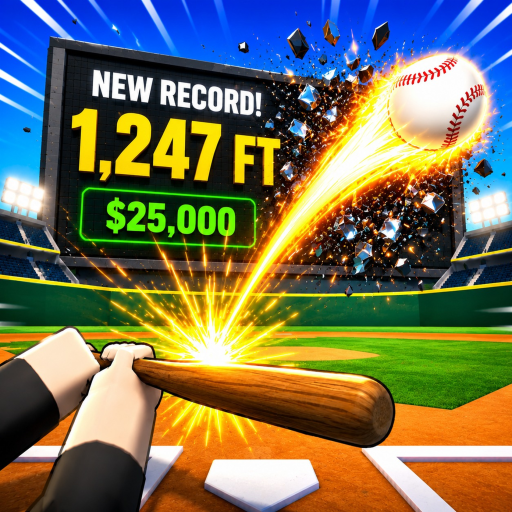
Hit Home Runs is a Roblox baseball game: a pitcher throws, you time your swing, and how cleanly you connect decides how far the ball flies and how many coins you earn. Coins go into stat upgrades and new planets, which make the next hit travel further still.
The whole game rests on one skill — hitting the ball at exactly the right moment, in exactly the right spot. This script does that part perfectly, every pitch, and then runs the rest of the loop around it.
Auto Swing
The script swings on the game's own perfect-contact timing rather than guessing at it, and places the bat on the dead centre of the sweet spot. The result is a PERFECT PERFECT grade on every single pitch — the game's best possible contact, which is what unlocks its highest exit speed.
That is worth spelling out, because the game sells an Auto Hit gamepass and this is not the same thing. The paid auto-hit is deliberately imperfect: it rolls a random contact quality each pitch and only lands perfect-perfect a fraction of the time. This script lands it every time, and does not need the gamepass.
Power
Coins scale with how far the ball travels, so power is really a question of how far you want the ball to go. The Power section gives you three ways to say that, on the Mode dropdown:
- Multiplier — the simple path. Scale a normal perfect hit by 1x–25x.
- Target Distance — type a number of studs. The script solves the exit speed needed to land there.
- Target Coins — type what you want a hit to pay. It works backwards through the game's coin curve to a distance, then to a speed.
The target modes exist because a multiplier is not a number you can reason about — distance goes up with the square of exit speed, so "4x power" is not "4x distance". Saying "land at 6,000 studs" and having it land at 6,008 is much easier to work with.
Predicted distance and predicted coins/hit update live, so you can see what a setting will do before you swing.
Power defaults to 1x, a clean max-power perfect hit. Turn it up as far as you're comfortable with — big numbers show up on leaderboards, so that call is left to you rather than forced on by default.
Optimal Launch Angle
Free distance, and the reason this isn't just a slider.
The game builds your launch angle from where you hit the ball, and on the sweet spot that works out to a fixed 34.5°. But the angle that actually maximises range is 45°. The script re-aims the swing there without touching your exit speed, which is worth about +7% distance on every hit — power you cannot get out of a multiplier at all.
It's on by default. Turn it off if you want the game's natural arc.
Variance
With everything above dialled in, every hit lands on precisely the same number, which is not a thing a human does. Variance jitters each landing by up to ±50%, so your distances look like a streak rather than a copy-paste.
It applies to the landing distance rather than the exit speed, so the percentage you set is the spread you actually see on the ground.
Keep Pitching (AFK)
Two things quietly stop this game from farming unattended, and the script handles both:
- The pitcher stops throwing to you the moment the window loses focus, so a plain auto-swing dies as soon as you tab away. Keep Pitching holds you active.
- The game pops its own overlays — a stats guide appears once your starting swings run out — and pitching halts while any panel is open. The script clears those so the farm keeps running instead of stalling on a popup you never saw.
Turn Keep Pitching on with Auto Swing and you can leave it batting.
Automation
The Automation tab covers the rest of the loop: Auto Upgrade Stats across Power, Contact, Timing and Vision, and Auto Claim for quests, achievements and the daily reward. Each one only takes what you've actually earned or can afford, so they're safe to leave on.
The Planets section buys and travels between planets. Higher planets pay a bigger money multiplier but have stronger gravity, which shortens your hits — so the best planet depends on where your Power Multiplier is set.
Farming for hours
Two separate timers normally end an AFK session, and the script handles both:
- The game ships its own idle watcher that **teleports you into a fresh server after 600 seconds** without input, which ends the run and unloads the script.
- Roblox itself disconnects you after about 20 minutes idle.
With both handled, the farm just keeps going. Verified on a live unattended run: 21.5 minutes continuous, same server, 62 perfect hits, 8.5M coins, with no real input at any point. The Uptime readout on the Batting tab tells you how long the current session has been going.
Notes
- Free — no key. The loader detects the game from
game.PlaceId, so you paste one line and execute. - Re-executing rebuilds the menu; if the window doesn't appear, execute once more.
How to use
- Paste the snippet. Open a supported Roblox executor and paste:
loadstring(game:HttpGet("https://overhub.dev/loader.lua"))() - Execute. The loader detects
Hit Home Runsfromgame.PlaceId, fetches the script from the overhub.dev API, then runs it. You’ll see a small “Loaded Hit Home Runs ✓” status panel confirm the script attached.
Keyless script
This script currently runs without a key. Some overhub.dev scripts are key-gated; those require a paid premium key from the Premium page.
The full script is never embedded in the loader. The API seals each payload in transit and serves it straight to your executor.