What this script does
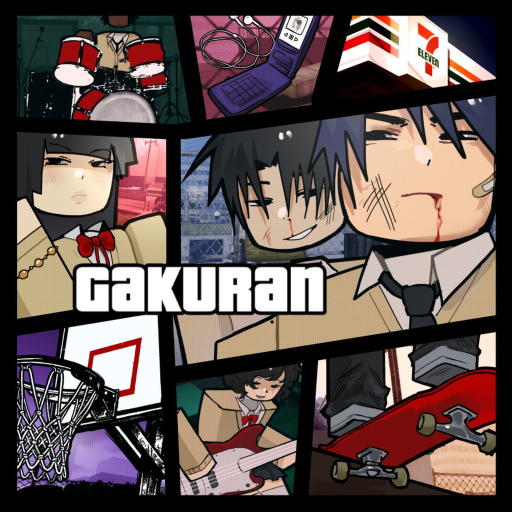
(学乱) Gakuran is a Japanese school roleplay game that, as its own description admits, mostly turns into fighting. Its combat is timing-based: every attack spawns a hitbox a fixed fraction of a second after the swing starts, blocking costs stamina, and running out of stamina guardbreaks you into a two-second lockout.
This script reads those numbers out of the game's own combat config instead of guessing at them, and builds the defence around them.
Paste the one line and run. The loader detects the game from game.PlaceId and pulls the right script. This is a paid script, so you'll be asked for a key once.
How to use
- Paste the snippet into your executor:
loadstring(game:HttpGet("https://overhub.dev/loader.lua"))() - Execute. You'll see a small "Loaded (学乱) Gakuran ✓" status panel confirm the script attached.
- A key-entry menu pops in-game — paste your key (from the hub / Discord). The key is remembered on disk and survives rejoins and teleports.
Auto Parry
Every attack in Gakuran plays a known animation, and each of those animations has a measured delay before its hitbox goes live. Auto Parry watches nearby players, matches the animation, and blocks on that specific attack's timing rather than a single fixed reaction delay — so a slow heavy and a fast jab are both parried on time. Timing is ping-compensated, and an adaptive learner nudges the offset based on what actually connected.
There are separate toggles for parrying only attacks aimed at you, ignoring Roblox friends and in-game contacts, and a Block Assist that turns you to face the attacker so the guard actually registers.
Auto Evade
Blocking is not always the right answer, so Auto Evade dashes instead. The dash grants a third of a second of invincibility, so the evade is fired just before the incoming hitbox goes live — the hit lands inside the invincible window and cannot connect, regardless of where you end up standing.
It covers every light and heavy, not just attacks from behind. **Evade direction** defaults to a sidestep, because these hitboxes extend forward of the attacker and stepping perpendicular leaves the volume faster than retreating along it. I-frame lead tunes how early the dash fires if your ping is unusual, and Only evade real threats skips attacks the prediction says would miss you anyway.
Auto Block
Auto Block holds guard whenever an enemy is in range. The important part is when it stops: a blocked hit costs a large chunk of stamina and dropping too low guardbreaks you, which is worse than never blocking. The bail-out floor leaves room for one more blocked hit, and the guard drops the instant you press an attack so your own inputs are never eaten.
Combat style tuning
Your fighting style changes the defensive maths, so the script adapts to it. Styles that chip harder through a block prefer evading; styles that are rewarded for a clean parry prefer parrying; styles that burn more stamina per blocked hit bail out of the guard earlier; and styles with a faster dash cooldown re-dash sooner. Turn it off if you would rather set everything by hand.
Combat & targeting
Sticky Target commits Auto Punch and Auto Heavy to one player instead of re-picking whoever is nearest every frame, so combos actually finish. Acquire by nearest or by lowest HP, with a leash range that keeps the lock through brief separations, and filters that skip friends, contacts, and downed players.
Auto Punch holds the full four-hit combo and releases through the finisher cooldown rather than restarting it early.
ESP
Enemy ESP draws boxes, tracers, chams, and a billboard with name, health and stamina bars, distance, and the room the target is in. Combat state tags show when someone is stunned, ragdolled, parried, guarding, on heavy cooldown, downed, or gripped — and each player's combat style is shown and coloured by rarity, so you know what their heavy is going to do before they throw it.
Filters cover range, a target cap, NPCs, friends and contacts, combat-only, downed-only, colour by health, and dimming targets behind walls.
Teleport & visuals
Teleports cover all 29 named areas — every classroom, hallway, restroom, the rooftop, dojo, cafeteria, courtyard, basketball court, and parking lot. The destinations are read out of the live map rather than stored coordinates, so they keep working when the map is rebuilt. Smooth or instant, your choice.
The Visuals tab has skybox presets, lighting, fog and bloom controls, plus a combat HUD, movement tools, lock-on, and auto respawn.
How to use
- Buy a key. Purchase access on the Premium page. After Stripe checkout, click Login with Discord on the success page — we DM your key automatically and it works right away.
- Paste the snippet. Open a supported Roblox executor and paste:
loadstring(game:HttpGet("https://overhub.dev/loader.lua"))() - Execute. The loader detects
(学乱) Gakuranfromgame.PlaceId, validates your key against the overhub.dev API, then runs it. You’ll see a small “Loaded (学乱) Gakuran ✓” status panel confirm the script attached.
Premium key system
This script requires a paid premium key. Buy one on the Premium pageand log in with Discord on the success page — your key is DM’d to you and works immediately. The loader prompts for the key in-game and remembers it on your device; keys are HWID-locked, so ask a mod to run /resethwid <key> if you move machines.
The full script is never embedded in the loader. The API seals the payload with a key derived from your key, so only your key can open it.